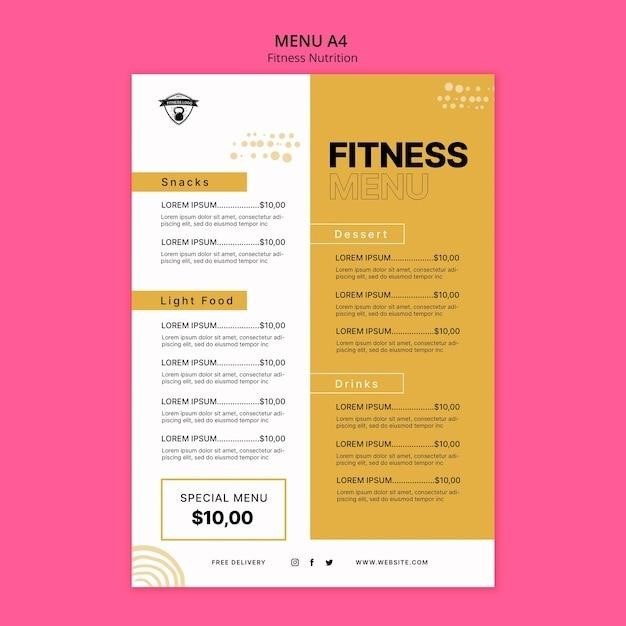
What is a PDF Newsletter File?
PDF newsletters are digital documents, often showcasing school or organizational updates, distributed as Portable Document Format files․ They offer a consistent reading experience across devices․
Defining a PDF Newsletter
Often, these contain updates from schools, organizations, or communities․ They can include messages from leadership (like an XO or Chaplain), resource listings, and announcements about upcoming events․ The key is a static, visually controlled presentation, unlike the fluid nature of web-based newsletters․ They are designed for readability and information dissemination․
The Role of PDF Format in Newsletters
Furthermore, PDFs support linked text boxes, allowing content to flow seamlessly across multiple pages, enhancing readability․ They are ideal for distributing detailed information, like organizational updates or school news, where precise presentation is paramount․ The static nature of PDFs also aids in archiving and preservation․

Why Use PDF for Newsletters?
PDF newsletters maintain formatting, enhance security, and ensure broad compatibility, delivering a reliable and visually consistent experience for all recipients, regardless of platform․
Preservation of Formatting
A key advantage of utilizing the PDF format for newsletters lies in its exceptional ability to preserve the intended formatting across diverse devices and operating systems․ Unlike other file types, PDFs ensure that your carefully designed layout – including fonts, images, and overall structure – remains consistent, regardless of whether the recipient views it on a Windows PC, a Mac, a tablet, or a smartphone․
This consistency is crucial for maintaining brand identity and delivering a professional-looking newsletter․ You won’t encounter issues with text reflowing, images shifting, or fonts rendering incorrectly, which can detract from the reader’s experience․ PDFs essentially “freeze” the design, guaranteeing that your message is presented exactly as you envisioned, fostering a polished and reliable communication channel․
Enhanced Security Features
PDFs offer robust security features that are particularly valuable when distributing sensitive information within a newsletter․ You can implement password protection, restricting access to authorized recipients only․ Furthermore, PDFs allow you to control printing and editing permissions, preventing unauthorized modifications or distribution of your content․
This level of control is essential for organizations handling confidential data, such as internal updates or member-exclusive announcements․ Digital signatures can also be embedded, verifying the authenticity and integrity of the newsletter․ By leveraging these security capabilities, you can confidently share information knowing it’s protected from unauthorized access and tampering, building trust with your audience․
Accessibility and Compatibility
PDFs boast widespread compatibility, rendering consistently across various operating systems – Windows, macOS, Linux – and devices, including smartphones and tablets․ This ensures your newsletter appears as intended, regardless of the recipient’s technology․ Modern PDFs also support accessibility features, crucial for inclusivity․
Features like tagged PDFs enable screen readers to interpret content for visually impaired individuals․ Properly structured PDFs with alternative text for images enhance the experience for all users․ While not inherently accessible, careful creation ensures broader reach․ This universal accessibility and compatibility make PDFs a reliable choice for reaching a diverse audience with your newsletter content․

Key Components of a PDF Newsletter
Effective newsletters integrate branding, engaging editorial content, and announcements about community events, all carefully designed to guide readers through information seamlessly․

Header and Branding
The header of a PDF newsletter is prime real estate for establishing your brand identity․ It consistently features your organization’s logo, name, and potentially a tagline, ensuring immediate recognition․ Consistent branding throughout the newsletter – utilizing specific colors, fonts, and imagery – reinforces this identity with each issue․
A well-designed header isn’t just visually appealing; it’s functional․ It often includes the newsletter’s title, date of publication, and potentially a brief descriptor of the content within․ This allows readers to quickly understand the newsletter’s purpose and relevance․ Think of the header as a mini-billboard, communicating who you are and what value you provide․
Editorial Content & Reader Guidance

Effective editorial content in a PDF newsletter prioritizes engaging, concise writing․ An interesting editorial immediately captures reader attention, setting the tone for the entire publication․ Content should be structured with clear headings, subheadings, and short paragraphs to enhance readability and scannability․
Reader guidance is crucial․ Utilize bullet points, numbered lists, and strategic use of whitespace to break up text and highlight key information․ Consider including a table of contents for longer newsletters, allowing readers to quickly navigate to sections of interest․ A clear call to action – directing readers to a website, event, or further resources – completes the guidance․
Community Events & Announcements
PDF newsletters are excellent platforms for disseminating community event details and important announcements․ Dedicated sections should clearly list upcoming events, including dates, times, locations, and brief descriptions․ Consider incorporating visually appealing event flyers or images to attract attention․
Announcements – ranging from organizational updates to important notices – require concise and direct language․ Categorize announcements for clarity, perhaps separating urgent alerts from general information․ Linking to relevant websites or contact information provides readers with easy access to further details․ A well-organized events and announcements section fosters community engagement․

Creating Effective PDF Newsletters
Effective PDF newsletters require careful design, utilizing templates and prioritizing readability with concise paragraphs and engaging visuals for optimal reader impact․
Utilizing Newsletter Templates
Employing pre-designed newsletter templates significantly streamlines the creation process, offering a structured foundation for content arrangement and visual consistency․ These templates, readily available in tools like Canva and Adobe Acrobat, often include pre-set layouts for headers, articles, and images․
Leveraging templates saves valuable time and ensures a professional aesthetic, even for users with limited design experience․ Customization is key; adapt the template’s colors, fonts, and imagery to align with your brand identity․ Consider templates specifically designed for PDF newsletters, as they optimize content flow across pages․ Utilizing linked text boxes, as seen in some examples, allows articles to seamlessly continue onto subsequent pages, enhancing readability and engagement․
Designing for Readability
Prioritizing readability is crucial for effective PDF newsletters․ Break up large blocks of text into concise paragraphs, allowing readers to easily digest information․ Employ clear and concise headings and subheadings to guide the eye and highlight key topics․
Font choice significantly impacts readability; opt for easily legible fonts at an appropriate size․ White space is your friend – utilize margins and padding to prevent a cluttered appearance․ A compelling editorial, as suggested for reader guidance, immediately captures attention․ Distilling information into smaller paragraphs, as demonstrated by monthly newsletter templates, provides a digestible “taste” of the content․
Incorporating Visual Elements
Visual elements dramatically enhance PDF newsletter engagement․ High-quality images and graphics break up text and draw the reader’s eye, making the newsletter more appealing․ Consider using a consistent visual style that aligns with your branding․
Templates often distill information with visuals, offering a “taste” of the month’s content․ Linked text boxes, allowing articles to flow across pages, can visually connect related information․ Remember that visuals should complement, not distract from, the core message․ A well-designed layout, utilizing white space and strategic image placement, improves overall readability and impact․

Tools for Creating PDF Newsletters
Software options include Adobe Acrobat for professional design, Canva for user-friendly templates, and Microsoft Publisher for accessible layout creation, aiding newsletter production․
Adobe Acrobat
Adobe Acrobat stands as a powerful, industry-standard tool for crafting sophisticated PDF newsletters․ It provides extensive control over layout, typography, and image quality, ensuring a professional finish․ Users can directly create PDFs or edit existing documents, adding interactive elements like forms and links․
Acrobat’s advanced features include precise color management, support for complex graphics, and robust security options – vital for sensitive information․ While possessing a steeper learning curve than simpler alternatives, its capabilities are unmatched for intricate designs and detailed content․ It allows for seamless integration with other Adobe Creative Cloud applications, streamlining the workflow for designers and marketers․ The software’s editing tools enable precise adjustments, ensuring brand consistency and visual appeal․
Canva
Canva emerges as a user-friendly, web-based graphic design platform ideal for creating visually appealing PDF newsletters, even for those without extensive design experience․ It boasts a vast library of pre-designed newsletter templates, customizable with drag-and-drop functionality․ Users can easily incorporate images, fonts, and branding elements to create engaging layouts․
Canva’s collaborative features facilitate teamwork, allowing multiple users to contribute to a single newsletter․ While offering less granular control than Adobe Acrobat, it excels in simplicity and speed․ Exporting designs as PDFs is straightforward, ensuring compatibility across various devices․ It’s a cost-effective solution, particularly for small businesses and individuals seeking a quick and efficient newsletter creation process․
Microsoft Publisher
Microsoft Publisher, part of the Microsoft Office suite, provides robust desktop publishing capabilities suitable for crafting professional PDF newsletters․ It offers extensive control over layout, typography, and image placement, catering to users needing precise design specifications․ Publisher includes a range of pre-designed newsletter templates, which can be fully customized to reflect brand identity․
A key advantage is its integration with other Microsoft Office applications, simplifying content import․ Saving or exporting documents as PDFs is a standard feature, ensuring broad accessibility․ While possessing a steeper learning curve than Canva, Publisher delivers greater design flexibility and is well-suited for complex newsletter layouts and frequent publishing needs․

Distribution Methods for PDF Newsletters
PDF newsletters are commonly shared via email marketing campaigns, integrated into websites for download, and promoted across various social media platforms for wider reach․
Email Marketing
Email marketing remains a primary distribution channel for PDF newsletters, offering direct delivery to subscribers’ inboxes․ Utilizing email marketing platforms allows for targeted campaigns, segmenting audiences based on interests or demographics to enhance engagement․
Attaching the PDF directly to an email ensures consistent formatting across different email clients and devices․ However, large file sizes can sometimes lead to deliverability issues or landing in spam folders․
Consider optimizing the PDF for web viewing and compressing the file size․ Including a compelling subject line and preview text is crucial to encourage opens․ Tracking email open rates and click-through rates (on links within the PDF, if any) provides valuable insights into newsletter performance, even if direct engagement within the PDF itself is harder to measure․
Website Integration
Integrating PDF newsletters onto a website expands reach beyond email subscribers․ Hosting the PDF directly on your site allows visitors to easily access past issues, creating a valuable archive of information․
Embedding the PDF using a viewer enables on-page reading without requiring downloads, improving user experience․ Alternatively, providing a clear download link is a simple and effective method․
Promote new issues prominently on your homepage or a dedicated “Newsletters” page․ Ensure the PDF is optimized for web viewing to maintain readability and fast loading times․ Consider using descriptive file names and alt text for accessibility and SEO, helping search engines understand the content within the PDF․
Social Media Sharing
PDF newsletters can be effectively promoted across social media platforms, extending their reach to a wider audience․ Share direct download links or create visually appealing graphics highlighting key content within the PDF․
Platforms like Facebook, Twitter, and LinkedIn allow for file sharing or linking to your website where the PDF is hosted․ Use compelling captions to entice clicks and downloads, summarizing the newsletter’s value proposition․
Consider creating short video previews showcasing snippets of the PDF’s content․ Tailor your messaging to each platform’s audience and utilize relevant hashtags to increase visibility․ Regularly sharing past issues keeps your content fresh and accessible․

Analyzing Newsletter Performance (PDF Specifics)
PDF newsletter analysis focuses on download numbers, offering indirect engagement insights; feedback forms and surveys are crucial for gauging reader response and content effectiveness․
Tracking Downloads
Monitoring PDF newsletter downloads provides a fundamental metric of reach, indicating how many recipients accessed the content․ Email marketing platforms often feature built-in download tracking, revealing the number of times the attached PDF was opened․
However, it’s crucial to remember that a download doesn’t necessarily equate to readership․ A recipient might download the file for later viewing or simply save it without engaging with the content․
Website integration allows tracking downloads initiated directly from the site, offering another data point․ Utilizing unique file names or embedded analytics can further refine tracking accuracy, providing a clearer picture of content distribution and initial interest․
Monitoring Engagement (Indirectly)
Directly tracking engagement within a PDF newsletter – like time spent on a page – is challenging without sophisticated interactive PDF features․ However, indirect methods offer valuable insights․ Analyzing website traffic following newsletter distribution can reveal if readers clicked links within the PDF to explore related content․
Monitoring responses to calls-to-action (CTAs) included in the newsletter, such as visiting a specific webpage or contacting an organization, provides a tangible measure of engagement․
Furthermore, observing social media mentions or feedback related to the newsletter’s content can indicate reader interest and discussion, offering qualitative data about its impact․
Gathering Feedback
While PDFs aren’t inherently interactive, soliciting feedback on your newsletter is crucial for improvement․ Include a clear email address within the PDF encouraging readers to share their thoughts directly․ Consider embedding a link to a short, external survey – using tools like SurveyMonkey or Google Forms – for more structured responses․
Promote the survey link on social media alongside the newsletter distribution to broaden participation․ Analyzing the received feedback helps refine content, design, and delivery methods․
Actively responding to feedback demonstrates value for your audience and fosters a stronger connection, ultimately enhancing future newsletter effectiveness․

Examples of PDF Newsletter Content
PDF newsletters commonly feature school news, organizational updates, and community announcements, providing a centralized source of information for specific audiences․
School Newsletters
School newsletters distributed as PDFs are vital communication tools connecting administrations, teachers, parents, and students․ These documents frequently include principal’s messages, upcoming event calendars – like sports games or parent-teacher conferences – and academic achievement spotlights․ They often detail classroom activities, highlighting student work and learning experiences․
PDF format ensures consistent formatting across all devices, preventing layout issues․ School newsletters may also contain important policy updates, safety reminders, and volunteer opportunities․ Furthermore, they can showcase student artwork, photos from school events, and acknowledgements of student and staff accomplishments, fostering a strong sense of community within the school environment․
Organizational Updates
Organizational newsletters in PDF format serve as crucial internal and external communication channels․ They effectively disseminate company news, project updates, and departmental achievements to employees, stakeholders, and clients․ These newsletters often feature executive messages outlining strategic goals and acknowledging team contributions․
PDFs ensure consistent branding and presentation, maintaining a professional image․ Updates may include new policy announcements, training opportunities, and employee recognition programs․ They can also highlight successful initiatives, market trends, and upcoming industry events, keeping everyone informed and engaged․ Utilizing a PDF format guarantees accessibility and reliable viewing across various platforms․
Community News
Community newsletters, frequently distributed as PDFs, are vital for fostering local engagement and information sharing․ These publications highlight upcoming events, local government announcements, and neighborhood initiatives․ They often feature articles on community achievements, volunteer opportunities, and local business spotlights․
PDF format ensures consistent readability across devices, reaching a wider audience․ Newsletters may include information on school activities, park updates, and public safety alerts․ They serve as a platform for local organizations to connect with residents and promote community spirit․ A well-designed PDF newsletter strengthens bonds and keeps everyone informed about local happenings․