
This comprehensive manual guides users through the setup, operation, and maintenance of the Mighty Mule MMK200 keypad, ensuring seamless integration with gate systems.
Understanding the Purpose of the Manual
This owner’s manual serves as a vital resource for all Mighty Mule keypad users, providing detailed instructions for optimal performance and longevity of your gate access system. It’s designed to empower both novice and experienced users with the knowledge to confidently install, program, and troubleshoot their MMK200 or MMKPD keypad.
The manual comprehensively covers everything from initial setup and code programming to advanced features like wireless functionality and compatibility with various gate operators. Understanding the contents within will ensure proper operation, adherence to FCC regulations, and safe usage. Furthermore, it offers practical solutions to common issues, promoting a hassle-free experience and maximizing the security of your property.
Keypad Model Overview (MMK200, MMKPD)
The Mighty Mule MMK200 and MMKPD digital keypads are versatile access control solutions designed for both residential and commercial gate applications. The MMKPD model offers enhanced features and compatibility, functioning effectively as a wired or wireless device. As a wired keypad, it seamlessly integrates with garage door and gate openers requiring 24 volts or less, utilizing normally open contacts.
Alternatively, the MMKPD operates wirelessly, compatible with any gate or garage door opener receiving a 318 MHz RF signal. Both models prioritize security, boasting over a million unique codes to prevent unauthorized access. This manual applies to both models, detailing their shared functionalities and specific capabilities, ensuring a secure and convenient gate operation experience for all users.

Initial Setup and Programming
Before mounting, carefully program and test the keypad’s range to guarantee optimal performance and reliable gate access functionality for all users.
Checking Package Contents

Upon receiving your Mighty Mule Digital Keypad (MMKPD or MMK200), it’s crucial to verify all components are present and undamaged. Carefully unpack the box and cross-reference the contents with the included packing list. You should find the keypad unit itself, mounting hardware – typically screws and potentially wall anchors – and this comprehensive owner’s manual.
Inspect each item for any signs of shipping damage, such as cracks, dents, or loose parts. If anything is missing or appears damaged, immediately contact Mighty Mule customer support for assistance and replacement parts. Do not attempt to install or operate a damaged keypad. Retain the original packaging for potential returns or warranty claims. A complete inventory ensures a smooth installation process and optimal functionality.
Keypad Power Requirements & Options
The Mighty Mule Digital Keypad offers versatile power solutions to suit various installation scenarios. As a wired keypad, it requires a 24V or less DC power source, commonly supplied by the gate operator system itself. Ensure your gate operator meets this voltage requirement before wiring. The keypad utilizes normally open contacts for activation, simplifying integration with existing setups.
Alternatively, the keypad functions wirelessly utilizing a 318 MHz RF signal, eliminating the need for direct wiring in many applications. For wireless operation, ensure the keypad is within range of the gate operator’s receiver. Battery power is not required for the MMKPD model. Proper power connection is vital for reliable operation; always consult a qualified technician if unsure about wiring procedures.
Programming the Keypad: Step-by-Step Guide
To program your Mighty Mule keypad, begin by accessing the programming mode on your gate operator – consult your operator’s manual for specific instructions. Typically, this involves entering a master code or utilizing a learn button; Once in programming mode, enter the desired user code on the keypad, followed by a confirmation command (often the # key).
The MMK200 keypad boasts over a million unique codes, providing unparalleled security. Repeat this process for each user requiring access. Always test each code after programming to ensure proper functionality. Remember to document all assigned codes for future reference. If a code is not recognized, double-check the entered sequence and refer to the troubleshooting section of this manual.

Operating the Keypad
Simply enter your unique, pre-programmed code on the keypad to activate the Mighty Mule gate operator, granting secure and convenient access.
Entering Codes for Gate Activation
To activate your Mighty Mule gate operator using the keypad, carefully enter the previously programmed, unique code. Ensure each digit is pressed deliberately for accurate recognition. The keypad is designed for use with automatic gate operators, offering a secure access solution with over a million possible codes.
After entering the code, the gate operator should respond promptly. If the gate doesn’t activate, double-check the code’s accuracy and refer to the troubleshooting section for potential interference or signal issues. Remember, the keypad functions with both wired and wireless systems, accepting 24V or less for wired connections and utilizing a 318 MHz RF signal wirelessly. Proper code entry is fundamental to the system’s security and functionality.
Understanding Code Length and Security
The Mighty Mule keypad boasts exceptional security, utilizing a radio format capable of generating over a million unique codes. While the manual doesn’t explicitly define a fixed code length, the system’s strength lies in its vast code combinations, minimizing the risk of unauthorized access. Regularly changing your access code is a best practice to further enhance security.
This keypad is designed to accept interference according to FCC regulations, but proximity to sources like cell towers or airports may impact performance. The system’s security features are paramount, ensuring only authorized users can activate the gate. Maintaining code confidentiality and promptly addressing any suspected breaches are crucial for optimal gate security and operational integrity.
Using the Keypad with Different Gate Operators
The GTO Digital Keypad demonstrates remarkable versatility, functioning seamlessly with various gate operators beyond Mighty Mule’s own products. As a wired keypad, it’s compatible with garage door and gate openers requiring 24 volts or less, accepting normally open contacts for activation. This broad compatibility expands its utility significantly.
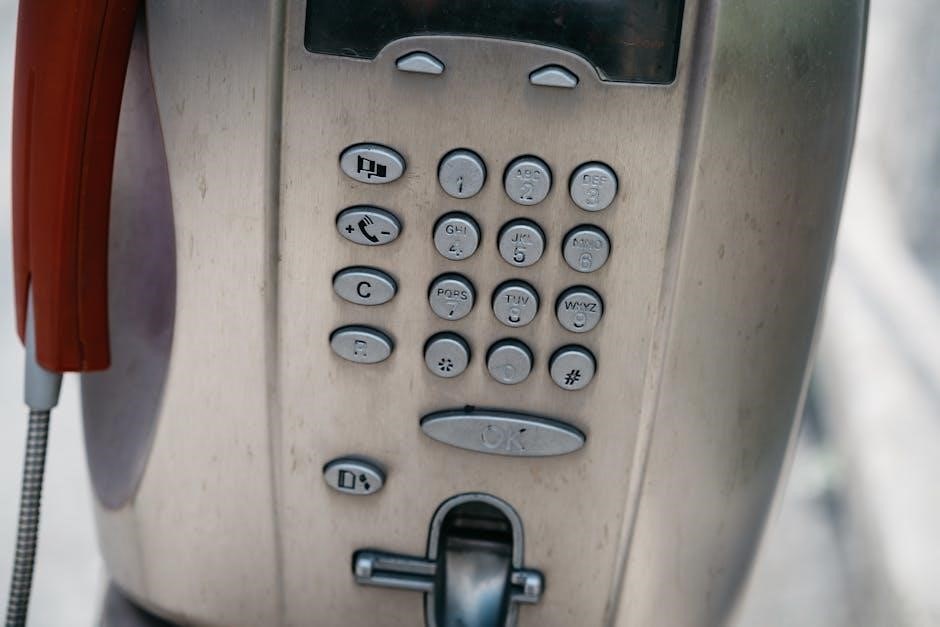
Alternatively, as a wireless keypad, it communicates via a 318 MHz RF signal, enabling operation with any gate or garage door opener capable of receiving this frequency; This wireless functionality offers flexibility in installation and eliminates the need for direct wiring. Proper configuration and testing are essential to ensure reliable operation with non-Mighty Mule systems, guaranteeing secure and convenient access control.

Advanced Features and Settings
Explore customizable options like wireless functionality at 318 MHz, wired compatibility with 24V systems, and adjustments for keypad volume and backlight intensity.
Wireless Keypad Functionality (318 MHz)
The Mighty Mule keypad boasts robust wireless capabilities, operating on a 318 MHz radio frequency. This allows seamless integration with a wide range of gate and garage door openers that are receptive to this specific signal. Its wireless design offers flexibility in placement, eliminating the need for trenching or running wires – a significant advantage for existing installations.
Crucially, the 318 MHz format provides a high level of security, utilizing over a million unique codes to prevent unauthorized access. Before permanent mounting, thoroughly test the wireless range to ensure reliable operation from your desired entry point. Be mindful of potential interference sources, such as cell towers or airports, which may impact signal strength. Proper testing mitigates these concerns, guaranteeing consistent performance.
Wired Keypad Compatibility (24V or less)
Beyond its wireless functionality, the Mighty Mule keypad functions effectively as a wired device, expanding its compatibility to numerous applications. When utilized in wired mode, it can operate garage door openers and gate operators requiring 24 volts or less, and crucially, those accepting normally open contact signals. This versatility makes it a valuable addition to existing systems without wireless receiver capabilities.
This wired operation provides a reliable alternative, bypassing potential wireless interference issues. Installation involves connecting the keypad to the gate or garage door operator’s control board, ensuring proper voltage adherence (24V or less is critical). The keypad’s adaptable nature allows it to integrate seamlessly into diverse setups, offering a cost-effective and secure access solution.
Adjusting Keypad Volume and Backlight
The Mighty Mule keypad offers customizable settings to optimize user experience in varying conditions. Adjusting the keypad volume allows users to control the audible feedback upon entering codes, ensuring it’s appropriate for the surrounding environment – quieter for residential areas, louder where ambient noise is prevalent. This feature enhances usability and prevents unwanted disturbances.
Furthermore, the backlight intensity is adjustable, providing clear visibility in low-light situations. Users can select from multiple brightness levels to suit their preferences and conserve battery power when applicable. These adjustments are typically made through a combination of button presses and code entries, as detailed in the programming section of this manual. Proper adjustment ensures optimal functionality and convenience.

Troubleshooting Common Issues
This section provides solutions for typical problems like unresponsive keypads, unrecognized codes, and wireless signal interference, ensuring smooth operation of your gate system.
Keypad Not Responding
If your Mighty Mule keypad isn’t responding, begin with the simplest checks. First, verify the power source – ensure batteries are fresh and correctly installed, or that the wired connection is secure. Confirm the keypad hasn’t entered a lockout mode due to repeated incorrect code entries; consult the programming section for reset instructions.
Next, inspect the wiring for any damage or loose connections, particularly if it’s a wired model. For wireless keypads, check the signal strength and potential interference from nearby devices like cell towers or airport equipment. Try repositioning the keypad or gate operator to improve the signal. A complete power cycle of the gate operator can sometimes resolve communication issues. If problems persist, refer to the advanced troubleshooting steps or contact Mighty Mule support.
Code Not Recognized
When the keypad fails to recognize your entered code, several factors could be at play; Double-check that you are inputting the correct code, paying close attention to any potential number transpositions. Verify the code length is within the programmed parameters – some systems allow for variable-length codes. Ensure the keypad hasn’t been recently reprogrammed with a new code without your knowledge.
If the issue persists, consider potential interference affecting the wireless signal, especially near cell towers or airports. A low battery in the keypad or gate operator receiver can also cause recognition errors. Try replacing the batteries or checking the power supply. As a last resort, attempt to re-program the code following the step-by-step guide, ensuring each digit is correctly entered and confirmed.
Wireless Signal Interference
Wireless keypads, operating on a 318 MHz frequency, can sometimes experience signal interference, hindering communication with the gate operator. Proximity to sources emitting similar radio frequencies, such as cell towers, airports, or other wireless devices, is a common culprit. This interference can manifest as unreliable gate activation or a complete lack of response from the keypad.
To mitigate this, try repositioning the gate operator receiver or the keypad itself, moving them away from potential interference sources. Ensure there are no substantial obstructions, like thick walls or metal structures, blocking the signal path. Consider testing the keypad’s range at different locations to identify areas with stronger signal reception. If interference persists, consult a professional for assistance in optimizing wireless performance.

Maintenance and Care
Regular cleaning with a damp cloth preserves the keypad’s functionality and appearance; promptly replace batteries, if applicable, to ensure consistent operation.
Cleaning the Keypad
To maintain optimal performance and longevity of your Mighty Mule keypad, regular cleaning is recommended. Dust, dirt, and debris can accumulate on the keypad surface, potentially affecting button responsiveness and overall functionality. Always begin by disconnecting the power source to the keypad before commencing any cleaning procedures.
Use a soft, slightly damp cloth – avoid abrasive cleaners or harsh chemicals, as these can damage the keypad’s finish or internal components. Gently wipe down the entire surface, paying particular attention to the buttons and surrounding areas; For stubborn dirt or grime, a mild soap solution can be used, but ensure the cloth is only damp, not wet, and thoroughly dry the keypad afterward.
Never spray liquids directly onto the keypad; always apply them to the cleaning cloth first. After cleaning, inspect the keypad to ensure all surfaces are dry before reconnecting the power. Consistent, gentle cleaning will help keep your Mighty Mule keypad operating smoothly for years to come.
Battery Replacement (if applicable)
If your Mighty Mule keypad model requires batteries for operation – certain wireless models do – regular replacement is crucial to maintain consistent functionality. Low battery levels can lead to reduced range, intermittent operation, or complete keypad failure. Consult your specific model’s documentation to determine the correct battery type and quantity needed.
To replace the batteries, carefully open the battery compartment, typically located on the back or inside the keypad housing. Remove the old batteries, observing the correct polarity (+ and -) markings. Insert the new batteries, ensuring they are properly aligned. Close the battery compartment securely.

It’s recommended to use high-quality alkaline batteries for optimal performance and longevity. After replacing the batteries, re-test the keypad’s functionality to confirm proper operation. Dispose of used batteries responsibly, following local regulations for battery recycling.

FCC Compliance and Safety Information
This Mighty Mule keypad complies with Part 15 of the FCC rules. Operation is subject to the following two conditions: (1) This device may not cause harmful interference, and (2) this device must accept any interference received, including interference that may cause undesired operation. Changes or modifications not expressly approved by the manufacturer could void the user’s authority to operate the equipment.
To ensure compliance, avoid placing the keypad near potential sources of interference, such as cell towers or airports, as noted in the product features. The device has been tested and found to comply with the limits for a Class B digital device, pursuant to Part 15 of the FCC Rules. These limits are designed to provide reasonable protection against harmful interference in a residential installation.
Safety precautions are essential. Do not disassemble or attempt to repair the keypad yourself. Keep the keypad away from water and extreme temperatures. Always follow the instructions outlined in this manual for safe and proper operation.